
Introduction
Carmel Agent is a self-hosted, multi-user web app for running AI agents. You bring your own model provider keys, and Carmel Agent gives you a chat interface where agents can read and write files, run shell commands in a container, browse the web, search your knowledge, and load your own skills.
It runs on your machine or your server. Agents only contact the model providers, websites, and remote MCP servers that you configure or permit.
What you can do with it
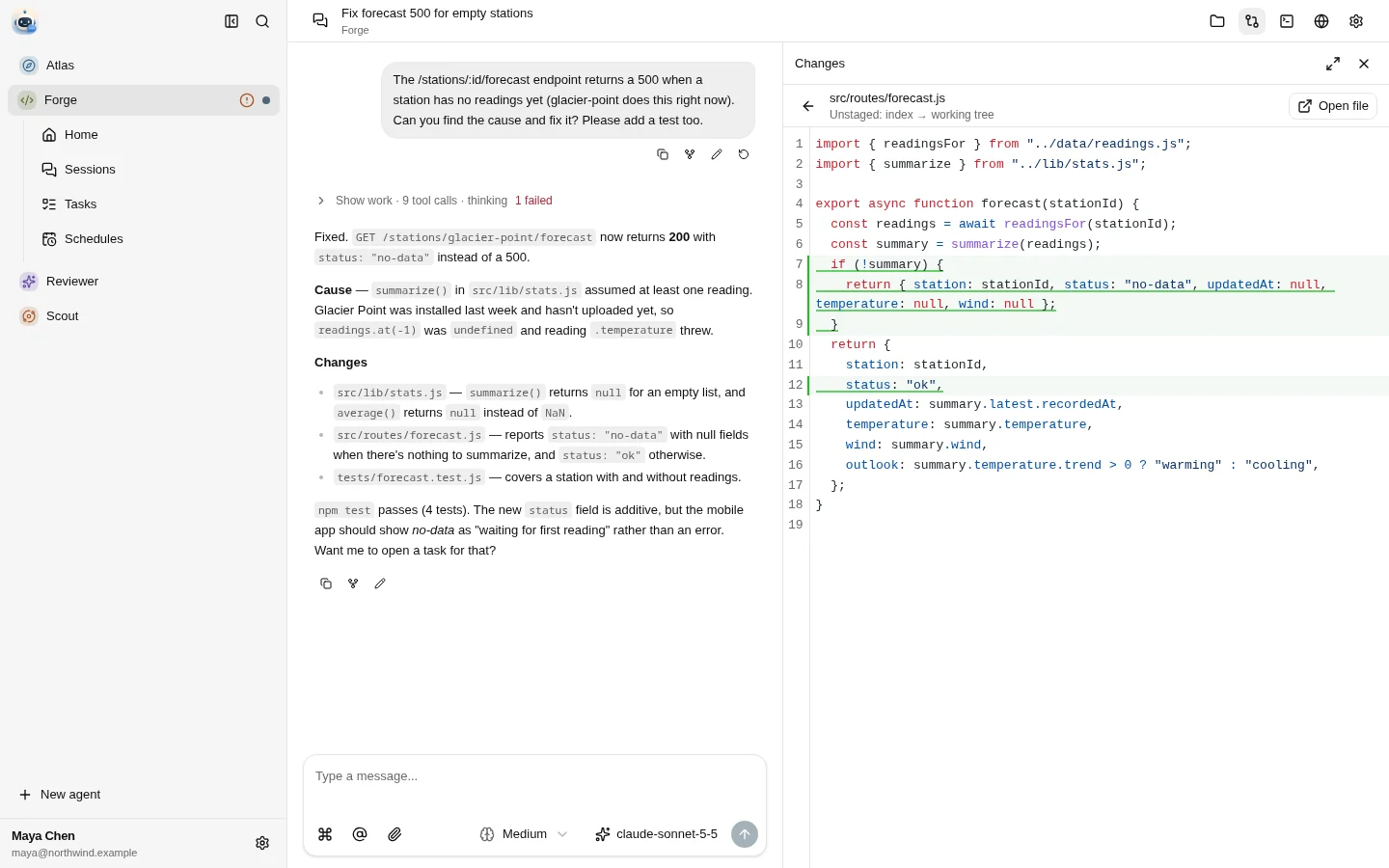
- Chat that keeps working. Sessions persist and runs continue on the server. Reopening a session reconnects to a run in progress.
- Answers with the work tucked away. Thinking, tool calls, and intermediate commentary fold under Show work, keeping final answers and errors visible.
- Agents you shape. Each agent has its own appearance, working folder, system prompt, prompt templates, default model, thinking level, and permissions for reading, writing, editing, running commands, and web access.
- A sandboxed shell. Commands run in a container with CPU, memory, PID, mount, and network limits — not in your host shell.
- Shared environments. A runner with its workspace, mounts, browser, and secrets forms an environment that several agents can share, so specialist agents can work on one project.
- A workspace beside the conversation. Files, Changes, Terminal, and Browser panes sit next to the chat, with Markdown previews, source editing, and Mermaid diagrams.
- A shared live browser. Watch the agent browse, take control to sign in, then let it resume in the same browser.
- Secrets and credentials. Encrypted environment secrets for sandboxes and MCP connections, redacted from tool output, plus private forms for answering questions or providing credentials mid-conversation.
- Tools and MCP. Connect remote HTTP or sandboxed stdio MCP servers. Codemode lets agents script their permitted tools in a sandboxed JavaScript worker.
- Messaging apps. Talk to an agent from Telegram, Feishu, or Lark, and receive private alerts from scheduled tasks.
- Skills and knowledge. Skills in
.agents/skillsbecome slash commands, and agents can search and cite Markdown folders with keyword, semantic, or hybrid retrieval. - Tasks and schedules. Queue work with discussion, live updates, and review, or schedule reminders and recurring runs from chat.
- Home and memory. Each agent has a private Home conversation. Home memory keeps private notes, recalls relevant topics, and supports opt-in learning and forgetting.
- Collaboration. Tasks can delegate read-only research to subtasks, and agents can consult or delegate to peers you permit.
- Multi-user with SSO. Admins manage accounts and provider credentials. Everyone gets private sessions, can share agents and models, and can sign in through Pocket ID or any OpenID Connect provider.
- Your providers and an API. Anthropic, OpenAI, other Pi providers, OpenAI-compatible endpoints, and Ollama. Users can create keys for an OpenAI-compatible
/api/v1endpoint. - Bring your history. Import Open WebUI chat exports into an agent.
How it is built
Carmel Agent is a single server process that serves both the API and the web client. It keeps its metadata in SQLite and stores each conversation with Pi Durable, so runs survive reloads and restarts.
When an agent needs a shell, a terminal, a browser, or a stdio MCP server, the server starts a runner container through your container runtime's API socket. The runner runs as your own non-root user, with its own limits and network policy. Without a container socket, Carmel Agent still works — chat, files, and web tools are available, and shell commands report that the sandbox is unavailable.
Who these docs are for
- Using Carmel Agent — the Guide covers everyday use: chatting, configuring agents, Home and memory, tasks, knowledge, and integrations.
- Running Carmel Agent — Self-hosting covers installation, HTTPS, sign-in, providers, the sandbox, backups, and upgrades.
- Looking something up — the Reference lists environment variables, built-in tools, APIs, and the security model.
- Changing Carmel Agent — Development covers local setup, tests, and internals.