
Home and memory
Home is your private, continuous conversation with an agent. Where sessions are separate conversations you start and finish, Home is the one place you and the agent keep talking: it is where messaging apps connect, where task results and scheduled notices arrive, and where the agent keeps private memory about you.
Every person has their own Home with each agent they use, including shared agents. Nobody else sees your Home or its memory.
Using Home
Open Home in the agent navigation. Home loads history page by page, so it stays fast however long it gets.
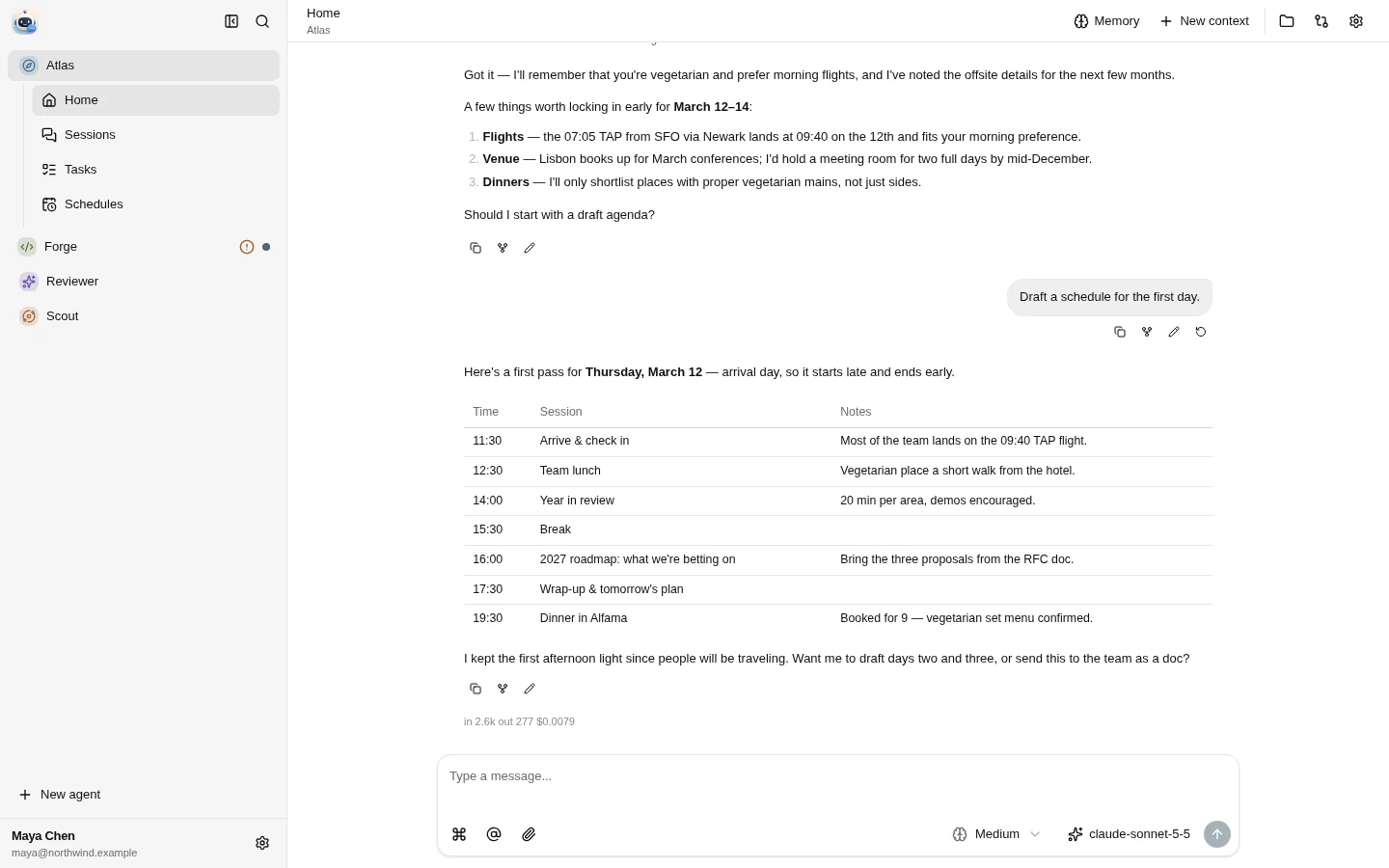
- New context starts a fresh model context while keeping the history, saved memory, and background work. Use it when a topic is finished. Finish or stop the current reply first.
- Stop Home stops the current reply and clears pending messages, across the web and messaging apps. Tasks and schedules keep running. Automated Home replies stay paused until you send another message.
Both are in the command palette (/ in an empty composer). Messaging apps offer them as /new and /stop.
Home is a coordinator. For multi-step investigation, implementation, or broad verification, ask it to create a task — results come back to Home with a link to the evidence. Home can also create, queue, update, and stop tasks for you.
Home has a smaller context budget than other sessions: during a long run it summarizes earlier context to stay responsive.
Memory modes
Open Memory in Home to choose how memory works:
| Mode | Behavior |
|---|---|
| Learn from Home | The default. After a short idle period or a batch of exchanges, your Home model extracts lasting preferences, facts, confirmed answers, and decisions. |
| Remember when asked | No background learning. Saving when you ask, editing, and recall still work. |
| Off | Stops recall without deleting any notes. |
INFO
Learning makes background model calls, which may incur provider usage. Turning learning on does not scan old conversations.
What gets remembered
Learning only uses your own words in human Home exchanges. Task reports, scheduled notices, and collaboration results are not sources.
It saves lasting preferences, facts, confirmed answers, and settled decisions. It skips uncertain facts, one-off instructions, greetings, daily chatter, and traits it would have to infer. Dated facts are saved with an expiry; lasting facts have none. Each automatic note shows its supporting quote and a link to the message.
When something new is remembered, a quiet Remembered notice appears. Open it to review the note or undo the change.
Core notes and topics
Memory has two layers.
Core notes are loaded before every Home reply, without a tool call. They hold who you are, your lasting preferences and constraints, and standing decisions. Core is limited to 200 lines / 24,000 bytes; pinned notes and health or diet constraints take priority. When core fills, older unpinned notes move to topics automatically — nothing is deleted.
Topics group details about a project, person, trip, place, or domain. Each topic can have aliases, such as food → dinner, restaurants, cuisine, which help recall find it. A compact topic index is always available to Home, and relevant passages are recalled automatically.
Before each reply, Home automatically receives:
- your core notes,
- the topic index,
- relevant passages from up to four topics,
- up to four matching excerpts from earlier conversations and tasks, and
- a brief of the last 48 hours of work across your tasks and sessions.
Home can search or read the full notes when it needs more detail.
Managing memory
The Memory panel shows Default context with its line and byte usage, Topics, and Shared across agents.
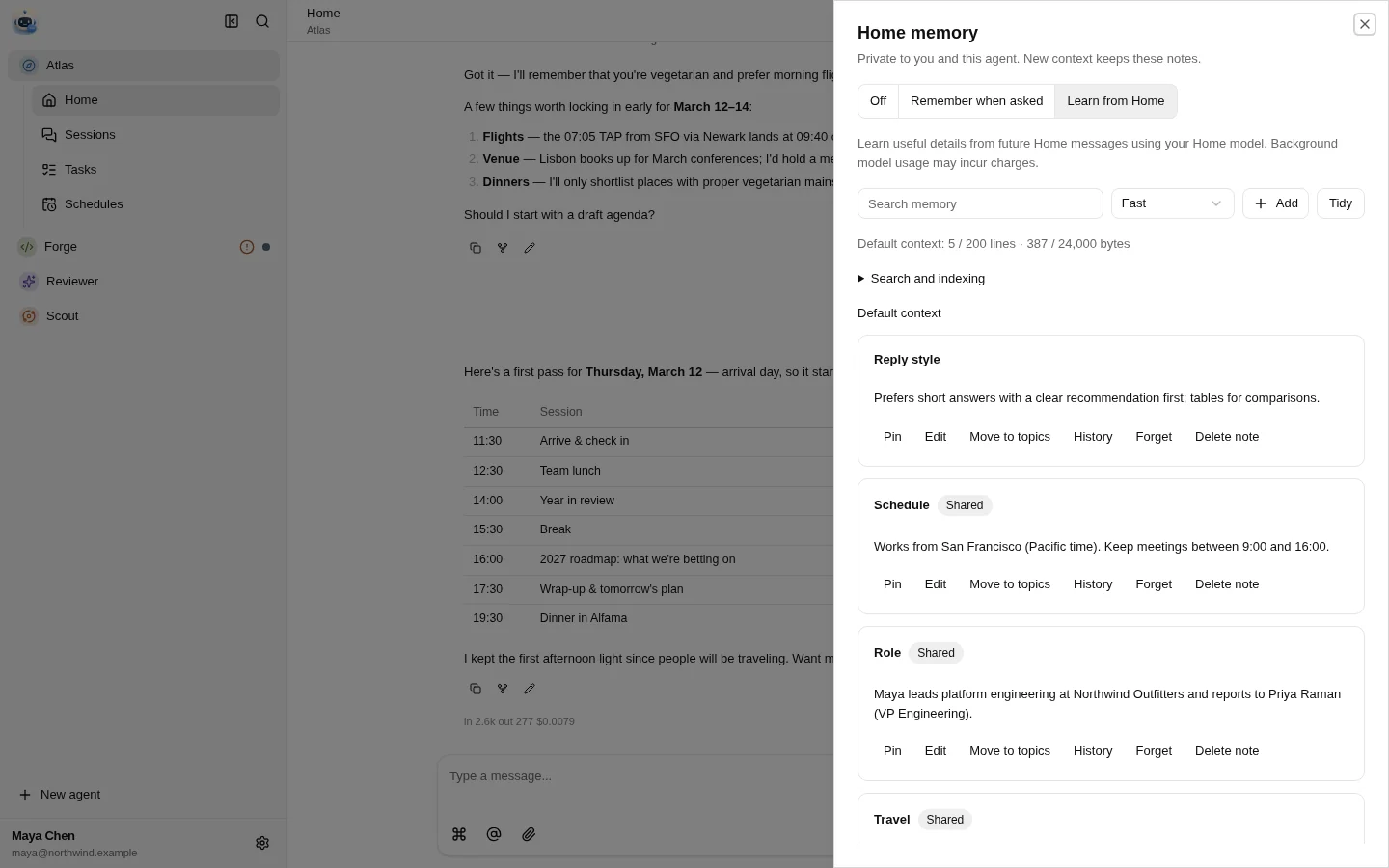
- Use as core and Move to topics control where a note lives.
- Shared across agents marks a durable personal fact (such as your name or time zone) as available to all your agents.
- Edit a note's text, title, aliases, or expiry in the editor. Edit history lets you restore earlier revisions.
- Tidy removes expired notes, merges duplicates, coalesces fragmented topics, moves finished or subject-specific entries out of core, resolves contradictions, and consolidates recurring patterns across your recent sessions.
Automatic learning never overwrites your manual edits or pinned notes.
Forgetting
- Forget removes a note and its revision history from memory and search, and prevents it from being learned again. If you later ask the agent to remember the fact, or add it yourself, the restriction is lifted.
- Delete note removes only the saved copy; the fact may be learned again later.
- Forget all clears all Home memory for this agent.
Neither action deletes the original conversation. Expired notes remain visible in the panel but are not recalled.
Search and indexing
By default, recall uses keyword and alias matching. For semantic recall, open Search and indexing in the Memory panel to enable a private index, choose acceleration, and build embeddings. It uses the same embedding model and runner setup as Knowledge, but its index is separate for each person and agent. Knowledge itself can stay disabled.
Downloading models requires the agent's Web access permission. Recall itself always runs offline, with a short deadline so an unavailable model never holds up a reply.
Privacy
Home memory is visible only to you and that agent. Ordinary sessions, task runs, background notices, and other people using the same shared agent never receive your notes or topic index.
Troubleshooting learning
The Memory panel shows a last-check line with the outcome of the most recent learning attempt, whether it came from a tool call or reply text, and any rejected fields. If learning seems to miss things, first check that the mode is Learn from Home. Learning accepts at most eight new candidates per batch and has a daily limit on background calls. Administrators can find the last attempt's route, model, stop reason, token usage, and rejected candidates in home_memory_settings.last_capture in the database.
Memory tools
Home exposes these tools to the agent. They are not available in ordinary sessions or task runs.
| Tool | Purpose |
|---|---|
memory_search | Search notes across core and topics. |
memory_read | Read a note or topic by query or id. |
memory_save | Save a note. Accepts until (YYYY-MM-DD) and replaces to supersede an older note. |
memory_edit | Edit a note found by query or id. |
memory_forget | Forget matching notes by query phrase or id. |
Storage
The Home database is the source of truth. Derived Markdown and search indexes live under CARMEL_AGENT_DATA_DIR/home-memory/<hashed-user-agent>/. Forgetting a note purges its derived index data; rebuilding never touches another person's index or the shared model cache.
Home memory follows the core-notebook and topic-note structure of OpenMausBot.